🛠️ Managing Local Development and Remote Development with GitHub 🌟
Best Practices for Streamlined Collaboration and Code Management
Harsh | Frontend Developer 👨💻 I’m a passionate frontend developer with 2 years of experience at Softcolon Pvt Ltd. I specialize in creating responsive, user-centric web applications using modern frameworks like React.js, Next.js, and Remix. Currently, I’m focused on enhancing my skills in web development and exploring new technologies. When I'm not coding, you’ll find me collaborating with developers worldwide, participating in hackathons, or working on my portfolio website. I’m also considering starting a blog to share insights and connect with the frontend community. Let’s build amazing things together!
In today's fast-paced development world, using GitHub for both local and remote development boosts team productivity and code💻 quality.
🚀 This blog will cover best practices for managing local development with Remote code on GitHub. ✨
GitHub is more than just a version control system; it’s a platform that fosters collaboration among developers. With features like branching, pull requests, and issue tracking GitHub helps teams manage code changes efficiently and maintain a clear project history.
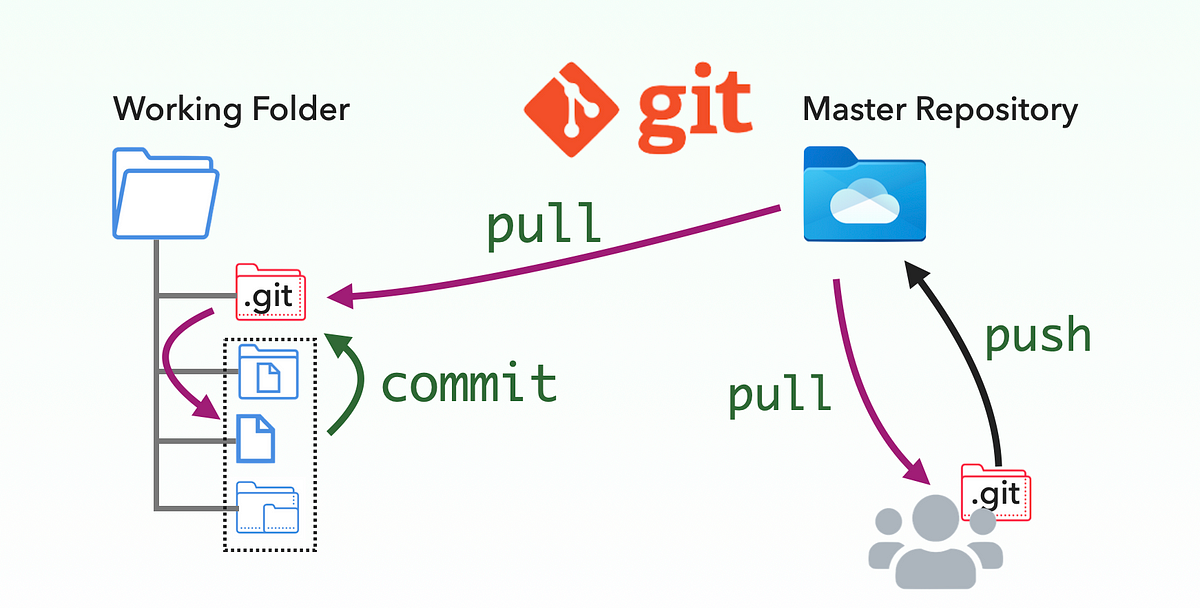
Working on the same projects with multiple developers can sometimes be complex due to conflicts. However, I follow two methods to manage local and remote development code effectively:
1. Merge Local Branch with Main Branch, Then Push to Development:🔄
This method involves merging your local branch with the main branch first. Once the merge is successful, you push the changes into the development branch.✅
This ensures that the main branch is always up-to-date before any changes are pushed to the development branch.⚠️
Some Times If you don’t merge your local branch into the local development branch, others won’t get the latest code.
2. Merge Local Branches with Local Development Branch then push into remote Development:🌐
After each merge, you push the changes to the remote development branch. This way, the remote development branch always has the latest code from each local branch.📤
This ensures that all developers working on the project have access to the most recent code from each particular local branch.🔄
Every Morning by just creating a pull request from remote development branch everyone get's latest code.🌅
By following these methods, you can minimize conflicts and ensure that everyone on the team is working with the latest code. This approach helps maintain a smooth workflow and enhances collaboration among developers.🤝
Connect with Me on Social Media 📱
I love engaging with fellow developers and readers! If you have any questions, feedback, or just want to connect, feel free to reach out to me on social media. You can find me on Twitter and LinkedIn. I look forward to hearing from you and continuing the conversation! 🌐